Top 5 Ai Image Generation Tool For Startup Growth
Running or starting a new business founder has to juggle countless of tasks throughout the day and often times creating contents gets pushed back in the to-do list, But that’s changed. AI image generation tools have made it genuinely possible for founders to go from a rough idea to a polished visual in under minutes — for this they don’t need expensive setups or expertise is required.
In this guide we will be exploring TOP 5 best tools for creating impactful visuals for everything from social media graphics to marketing campaign needs in minutes. We have made this guide to help founders to explore tools with all-in-one solutions for handling design workflow for their brand. We will be breaking down the real costs, understand each tool and what each one of these tools does the best and lastly help you figure out which is the best pick for your branding needs.
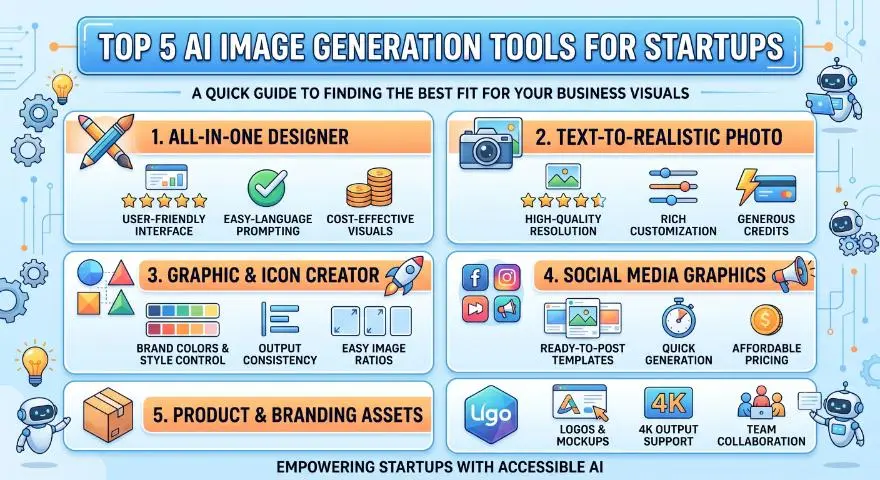
Important features to consider before using AI Image Generation tools
- Finding tools with user-Friendly Interface and easy language
Most users are startup founders who are not expert in designing and understand technical terms so it is important to select tool which has easy language and user- friendly interface. - Pricing that makes cost-effective visuals for growing startups
As the startups are in growing phase they cannot spend huge amounts for these tools ,thus it is important to select tools which provide generous credits at cost effective pricing models. - Hight quality output with customization options
Quality you can actually use — plus it should have real customization. High resolution matters, but so does consistency. You’ll want control over brand colors, image ratios, and visual style so what you generate actually fits the platform you’re posting on.
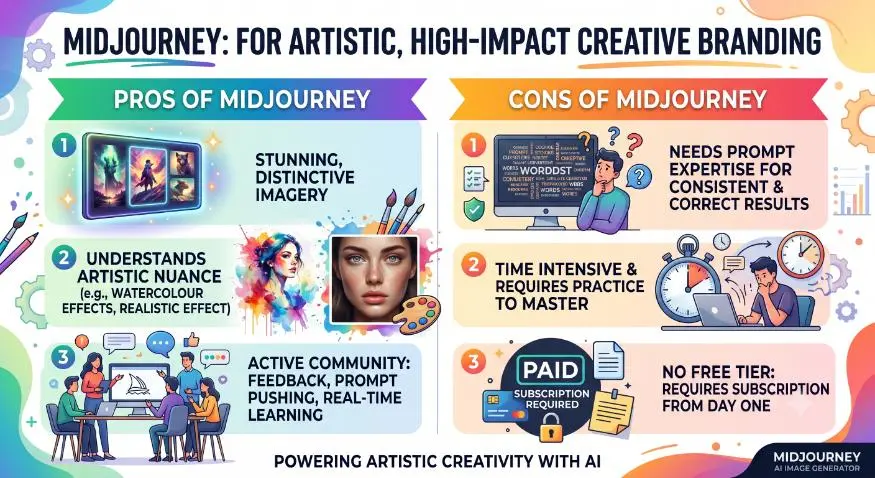
Midjourney : For Artistic, High-Impact Creative Branding
If you want visuals that look like they came out of an actual art studio, This tool is in a different league. The images made by this tool have a distinctiveness that’s hard to explain until you see it — watercolor textures, cinematic lighting, editorial photography energy. It understands artistic nuance in a way most other tools simply don’t.
this tool stands out as the golden tool for creating artistic images which feels like professionals have handcrafted them.
Pros of Midjourney:
- This tools creates Stunning, distinctive imagery
- It understands artistic nuance like water-colour effects, realistic effect.
- This tool provides an active community that’ll push your prompts further than you’d get on your own and provides real time feedback for the members.
Cons of Midjourney:
- This ai image generation tool needs the user to have prompt expertise to generate consistent and correct results
- Time intensive and requires practice to master.
- It has no free tier its, requires subscription from day one
Leonardo: For Creative Control and Real-Time Editing
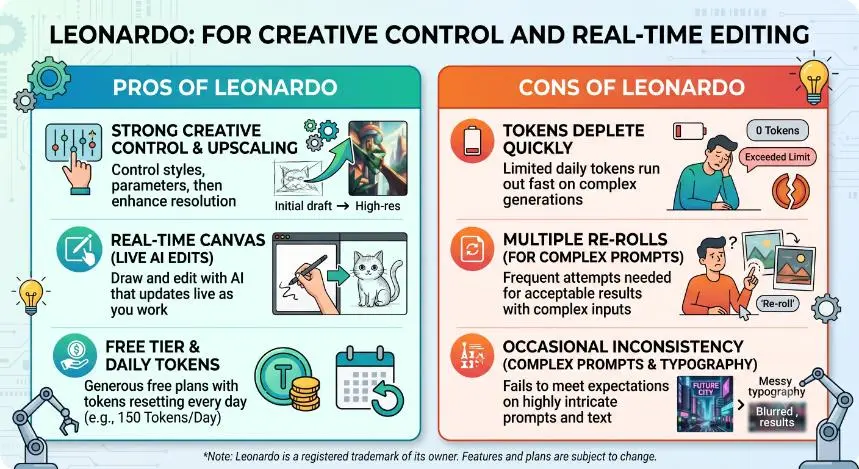
This tool is the pick for people who want their hands on the wheel. Its real-time canvas lets you draw or adjust directly while the AI updates the image live — it’s genuinely satisfying in a way that screenshot comparisons used by other apps don’t capture. Character consistency is one big another strength, which makes it a solid choice if you’re building out a brand mascot or recurring visual identity.
The free tier is reasonably generous, though the daily tokens disappear fast when you’re experimenting. Typography can be hit or miss sometimes, and complex prompts sometimes need a few re-rolls before they land where you want them.
Pros of Leonardo:
- This ai image generation tool provides strong creative control and upscaling of images generated
- Provides real- Time canvas to draw and edit which is updated live by the ai when you work.
- Provides free tier and gives relatively generous free trial plans with daily tokens.
Cons of Leonardo:
- Tokens deplete quickly there are limited token and quick consumption
- Multiple re-rolls occasionally with high complexity prompts.
- Occasional inconsistency with complex prompts even with correct typography
Gemini: For Fast, Realistic Visuals
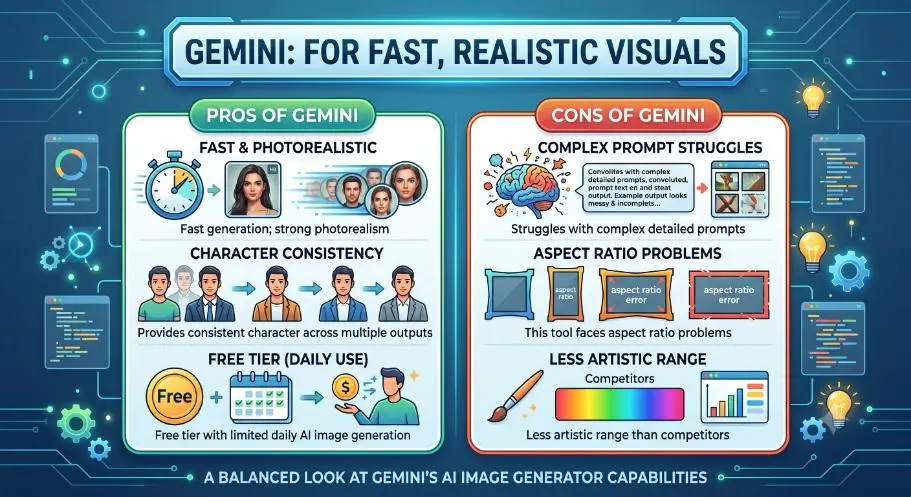
Speed is Gemini’s strongest card. Need realistic visuals quickly this is your go to tool. Need character consistency across multiple outputs? this tool comes handy. It’s particularly useful for product imagery or people-focused content where photorealism matters more than artistic style.
Pros of Gemini
- Fast generation; strong photorealism
- this tool provides consistent character across multiple outputs
- Free tier with limited daily ai image generation
Cons of Gemini
- Struggles with complex detailed prompts
- This tool faces aspect ratio problems
- less artistic range than competitors
ChatGPT (with DALL-E 3) — Useful for Following Instructions as you go
This is arguably the best at doing exactly what you ask. Most AI image tools require you to learn their prompting quirks before you get reliable results. dall-e 3 lets you describe what you want conversationally, the way you’d explain it to a person, and it delivers. For non-designers, that’s worth a lot.
The interface is clean, there’s a free tier, and the barrier to entry is about as low as it gets.This tool is great at following instructions and also connected with famous AI tool called DALL-E3
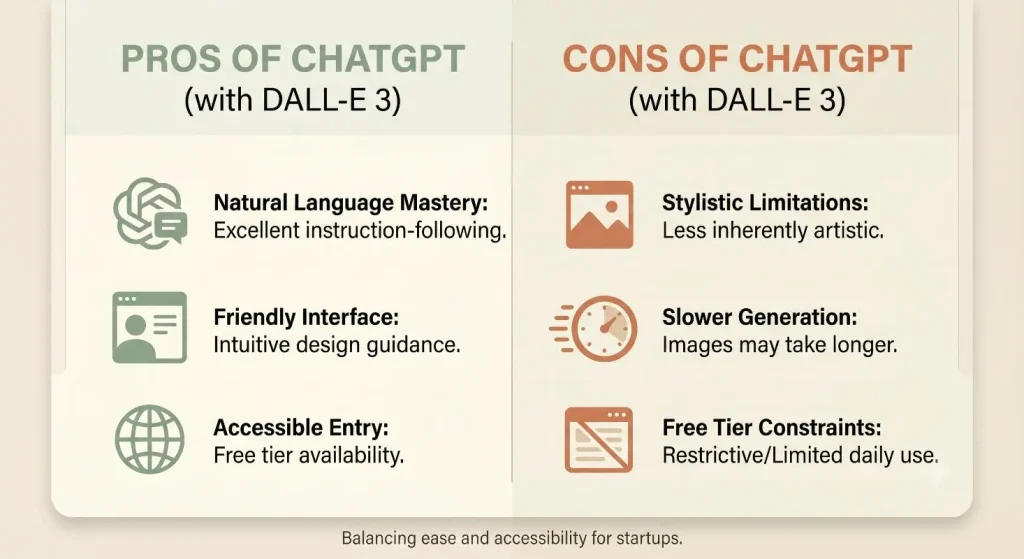
Pros of ChatGPT:
- Excellent instruction-following in natural language
- Provides the user friendly interface through the designing process
- Offers free tier ai image generation
Cons of ChatGPT:
- Gives less artistic output than other AI tools
- Slower generation of images
- Restrictive and limited generation in free tier.
Canva Magic Media : For All-In-One Design and Content Creation
Canva built Magic Media directly into its design environment, and for social media-focused brands, that combination is genuinely useful. You generate the image, drop it straight into your template, resize it for Instagram, and you’re done. No app-switching, no exporting, no friction.
It’s best suited for marketing content and social campaigns — not high-fidelity creative work.
Magic Media was introduced in 2025 , bringing design, editing and ai image generation all in one unified workplace
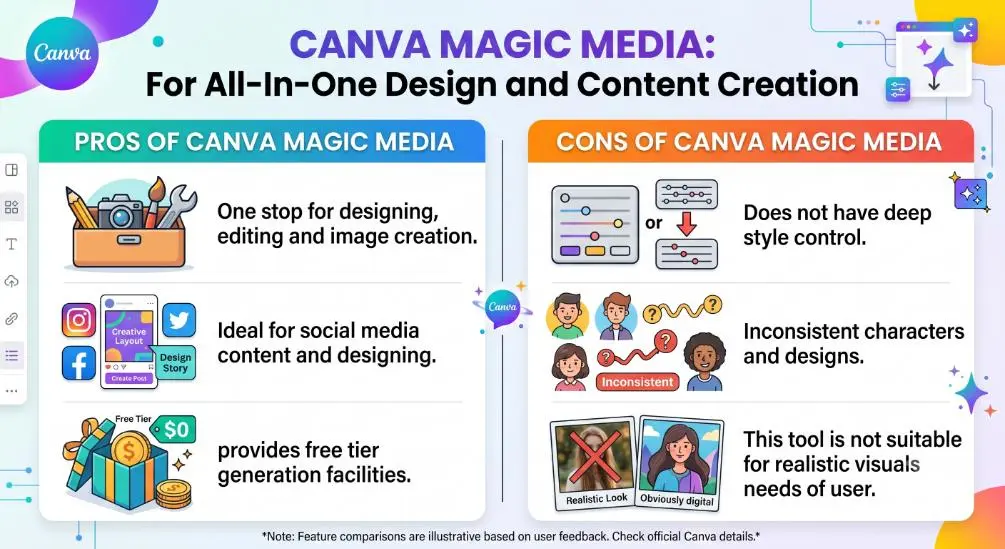
Pros of Canva magic media:
- One stop for designing ,editing and image creation
- Ideal for social media content and designing
- provides free tier generation facilities
Cons of Canva magic media:
- Does not have deep style control
- Inconsistent characters and designs
- This tool is not suitable for realistic visuals needs of user
Adobe Firefly: For Professional Teams in the Adobe Ecosystem
If your team already works in Photoshop, Illustrator, or Premiere, Firefly is the natural fit. The integration is seamless, and the workflow benefits are tangible. It’s also one of the safest tools from a copyright standpoint — Firefly is trained on licensed content, which matters the moment you’re creating visuals for commercial use.
The output is consistently polished and professional, sometimes almost to a fault. It’s not the go to ai image generation tool for quirky, personality-driven branding. And if you’re not already embedded in the Adobe ecosystem, there’s not a compelling reason to start here just for image generation.
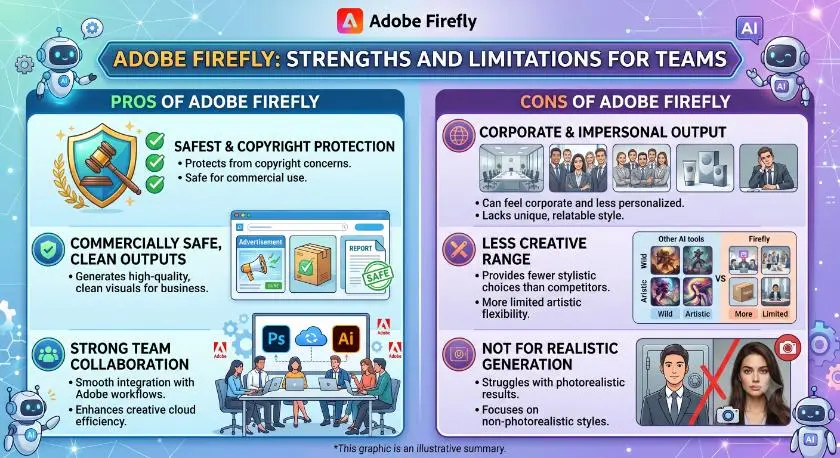
Pros of Adobe Firefly:
- Safest and protects from copywrite concerns
- This tool provides platform which is commercially safe and generates clean outputs
- Strong for team collaboration within existing Adobe workflows.
Cons of Adobe Firefly:
- Output can feel corporate and impersonal than personalised and relatable
- Provide less creative range in comparison to other ai tools
- Not suitable for realistic Ai image generation requirements
From AI Images to AI Video generation and creating an AI generation ecosystem
For startups ,ai video generation has created huge opportunity for their brand from still image to motion ad creatives .
This helps small startups to produce cinematic product ads and create engaging social media content without spending loads of money and time on shooting without booking a shoot, renting gear, or hiring a production crew.
Once your still visuals are dialed in, the next frontier is motion. You can produce cinematic product ads and scroll-stopping social content that not only engage the viewers more but make them loyal to the brand
Few steps startups must take while creating creatives from ai image generation to ai video generation are:
1.Mapping a blue print:
Startups should always create a blue print like camera focus, product position etc before giving instructions
2.Using multi -image input feature to its full advantage :
Startups should provide multiple image references so that the final output is consistent and more precise
3.provide proper and correct prompt for creation of images and videos:
Startups should give proper, clear and direct prompt so that there is very less deviation in the actual output.
So, Which Tool Should You Actually Choose as a growing startup?
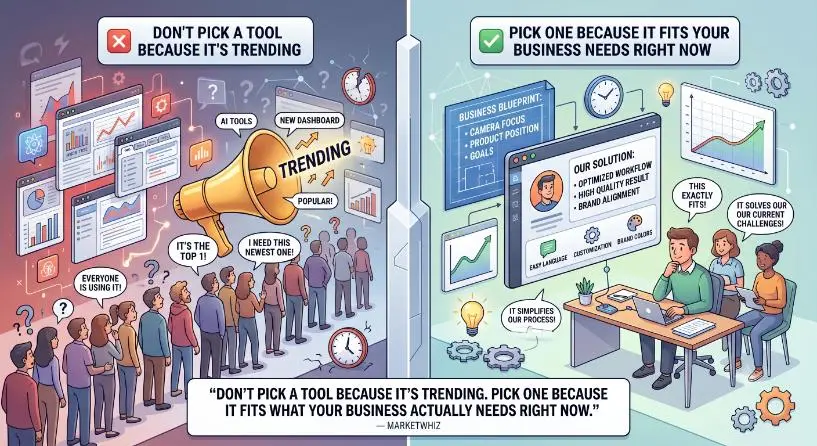
A startup should never buy any AI image generation tool solely because it’s popular. The decision-making process should revolve around the business model and operational goals instead.
“Don’t pick a tool because it’s trending. Pick one because it fits what your business actually needs right now“ by Marketwhiz.
For creating an efficient visual pipeline, pick your platform type depending on those criteria:
- For An E-commerce Startup With Large Scale Inventory
Problem Statement: You have dozens of physical products and you require clean and consistent catalog photos for your website and marketplaces without booking a studio every week. - Solution: Search for Batch-Processing Automation Engines. They provide the ability to upload 50+ raw images from your smartphone. Within seconds, the AI removes the backgrounds, balances light, adds natural drop shadows, and crops the photos into commercial standards.
- For Selling Premium or Lifestyle Products
Problem Statement: You have a fixed product shot but you require to place it in premium environments (i.e., a bottle of skincare product on a marble tile in the middle of water ripples) without the product itself deforming and warping. - Solution: Best AI image generation tool isn’t the one with various features. It’s the one that fits your workflow, respects your budget, and helps you ship better visuals faster.
Pingback: Top 3 AI Video Generation Tools for Startups(With Pricing) -